
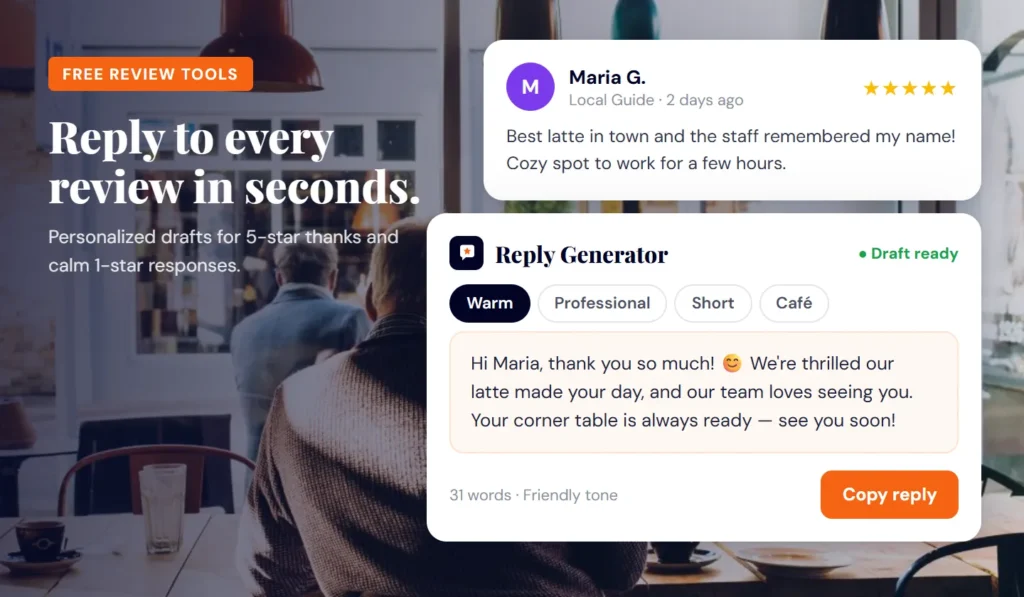
Google Review Reply Generator
Fill in the details and press Generate Reply. Your draft will appear here.
A free Google review reply generator for local businesses
Replying to every Google review takes time, and most owners end up typing the same “Thanks for the review!” over and over. This Google review reply generator gives you a solid first draft in seconds, written around the details you enter: the customer’s name, your business, the star rating, what they said, and the tone you want.
It is part of the free toolkit on iFilePost com, built for USA local businesses such as restaurants, salons, contractors, dental offices, auto shops, and retail stores.
How the generator works
The tool runs entirely in your browser. It does not use AI. Instead, it combines a large library of hand-written phrase variants (openings, thank-you lines, responses to specific feedback, invitations to return, and sign-offs) with the information you type in. The result reads like a reply written for that customer, not a canned template.
- Rating-aware: a 5-star review gets gratitude and an invitation back; a 1- or 2-star review gets an apology, ownership, and a path to resolve it offline.
- Tone control: choose warm, professional, short, or apologetic.
- Regenerate: not quite right? Click again for a new variation.
- Private: nothing is stored on a server and nothing is posted for you. You copy the draft and paste it into Google yourself.
- No signup: no account, no email, no trial.
How to use the Google review reply generator
- Enter the customer’s first name as it appears on the review (optional, but it makes the reply feel personal).
- Type your business name and choose your business type.
- Select the star rating the customer left, from 1 to 5.
- Paste the review text if you want the draft to reflect what they mentioned (optional).
- Pick a tone: warm, professional, short, or apologetic.
- Add optional details, such as a staff member’s name, a specific service, or a contact phone number for unhappy customers.
- Click generate, read the draft, and regenerate if you want a different variation.
- Edit anything that is not accurate, copy the reply, and paste it into your Google Business Profile.
Not sure where to paste it? Our guide on how to reply to reviews on Google Business Profile walks through the steps on desktop and mobile.
Example replies
Here are sample drafts in different tones. Your results will vary each time you generate.
Hi Maria, thank you so much for the 5-star review! We’re thrilled you loved the balayage, and we’ll pass your kind words along to Jess. We look forward to seeing you at Bloom Hair Studio again soon.
Thank you for your feedback, David. We appreciate you choosing Ridgeview Auto Repair for your brake service and are glad the work was completed on schedule. If you ever need anything else, our team is here to help.
Hi Karen, we’re sorry your order arrived cold and later than promised. That is not the experience we want for anyone at Rosa’s Kitchen. Please call us at (555) 010-2234 so we can make this right.
Why replying to Google reviews matters
Google’s own Business Profile help pages encourage owners to respond to reviews, and replies are visible to everyone who reads your profile. A thoughtful reply shows future customers that a real person runs the business and cares about the experience.
- Trust: shoppers read how you handle complaints as closely as the complaints themselves.
- Engagement: Google lists responding to reviews as a way to interact with customers and build your profile.
- Recovery: a calm, specific reply to a negative review can sometimes lead the customer to update their rating.
Read more in why you should reply to every review. Reviews and replies are also part of the prominence signals Google describes for local results.
Tips for better Google review replies
Reply to positive reviews
- Use the customer’s name and mention one specific thing they praised.
- Keep it short. Two to four sentences is plenty.
- Vary your wording so your profile does not look copy-pasted. The regenerate button helps here.
Reply to negative reviews
- Reply calmly, and avoid arguing about details in public.
- Apologize for the experience, take ownership where appropriate, and offer a direct contact.
- Never share private customer information, such as appointment details or account data, in a public reply.
- Do not offer refunds or discounts in exchange for changing or removing a review.
For tough cases, see how to respond to negative Google reviews.
Stay within Google’s rules
Google’s review policies prohibit offering incentives for reviews and selectively asking only happy customers to leave them (review gating). In the US, the FTC’s rule banning fake reviews and testimonials took effect in October 2024. Write honest replies, never post reviews on your own behalf, and ask all customers for feedback equally.
More free tools from iFilePost com
- 5 Star Review Reply Generator for thank-you replies.
- Review Request SMS Generator to ask customers for reviews by text.
- 1 Star Review Reply Generator for calm responses to harsh reviews.
FAQs
Is the Google review reply generator free?
Yes. It is completely free, with no signup, no account, and no usage limit.
Does the tool post replies to Google for me?
No. It only creates a draft. You review it, edit it if needed, copy it, and paste it into your Google Business Profile yourself.
Is my review text saved anywhere?
No. The generator runs in your browser and does not send or store what you type on a server.
Will every reply be different?
Drafts are built from many phrase variants combined with your inputs, so clicking regenerate gives you a new variation. Always read the draft and adjust it so it matches what actually happened.